
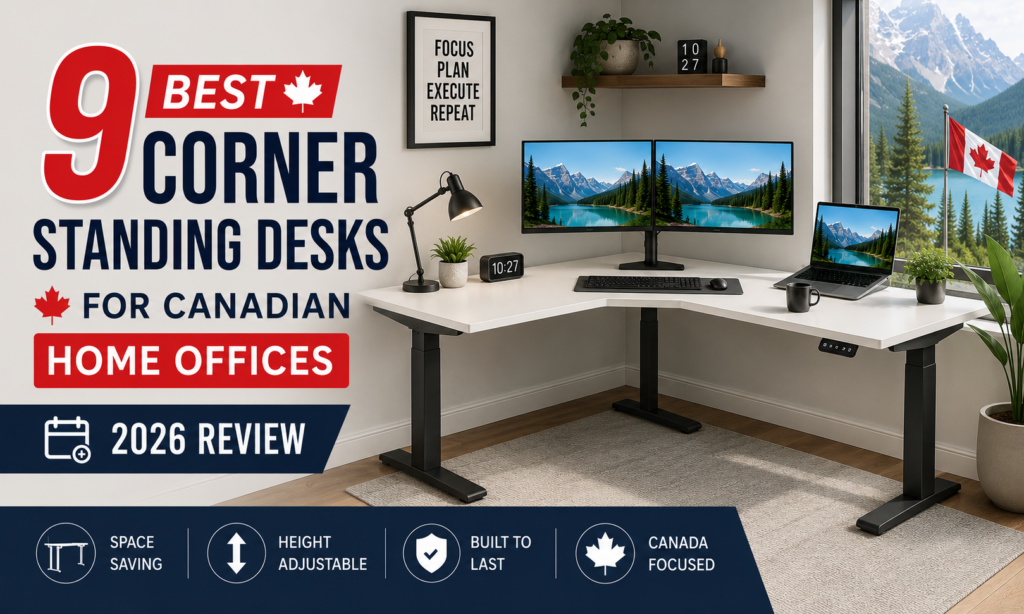
A corner standing desk turns a wasted room angle into usable surface, and the Desky L-Shape Laminate Sit Stand Desk leads this list as the best-built option for Canadian home offices in 2026. Its triple-motor frame and 496 lb weight capacity separate it from the mid-tier corner desks that flex under a full multi-monitor load.
The other eight desks earned their place on their own merits, not as filler. Each hits a specific, verifiable standard, from Autonomous’s oversized surface to Progressive Desk’s 15-year warranty, with honest pros and cons based on real specs.
Most corner desk buyers are not choosing between good and bad options. They are choosing between desks that look identical in a photo and behave very differently once monitors and a laptop dock sit on the surface for a year, and the gap shows up in the motor system, the weight rating, and the warranty.
This list carries no affiliate links, no commissions, and no brand payment for placement. Every entry below was researched independently.
TL;DR
- Desky – Best L-Shaped Standing Desk for Canadian home offices – triple-motor frame, 496 lb capacity, BIFMA/EESS/TÜV/AFRDI-certified construction
- Autonomous – Best Multi-Monitor Workstation for dedicated home offices – a 77-inch run plus 35-inch return built for wide multi-screen setups
- Herman Miller – Best Corporate corner desk for enterprise fit-outs – a modular sit-to-stand system built for procurement and facilities specs
- A genuine triple-motor frame with a certified, verifiable weight capacity separates a corner desk that holds up under real daily use from one that just looks the part in photos.
Our 9 Picks for Canadian Home Offices
Canadian retailers currently stock every desk below, and each earns a distinct award based on what it does best.
|
Model |
Ideal Room Size |
Best Use |
Desktop Configuration |
Height Range |
Stability |
Cable Management |
Warranty |
Price Category |
|
Desky L-Shape Laminate |
Small-mid home office |
Everyday WFH, dual monitor |
59″x61″ or 70.9″x68.9″ |
23.6″-49.2″ |
Triple motor, 496 lb |
Integrated Channel (accessory) |
10-yr frame/5-yr desktop |
Mid ($1,399 CAD+) |
|
Autonomous Desk 2 L-Shaped |
Large dedicated office |
Multi-monitor power users |
77″ run x 35″ return |
29.4″-48″ |
Triple motor, 400 lb |
Not included standard |
10-yr frame/1-yr desktop |
Premium ($1,299 CAD+) |
|
Herman Miller Renew Corner |
Corporate office |
Facilities-managed fit-outs |
90°/120° corner, 42″-72″ |
27″-48″ |
Dealer spec-tested |
Dealer-configured |
Enterprise terms |
Highest (quote-based) |
|
Branch Tria L-Standing |
Compact home office |
Minimalist remote setups |
Laminated MDF L-shape |
25.5″-48.9″ |
Three-stage, 275 lb |
PET felt tray, OLED keypad |
10-yr |
Premium ($1,797 CAD) |
|
Flexispot E7L Pro |
Mid-large office/gaming |
Multi-purpose, gaming or WFH |
Bamboo or chipboard L-shape |
25″-50.8″ |
Triple motor, 330 lb |
Accessory tray available |
15-yr frame |
Mid (CAD, varies by finish) |
|
MotionGrey Motion Series |
Small-mid home office |
Budget-conscious first-timers |
L-shape, multiple sizes |
Standard adjustable |
Triple motor, 353 lb |
Optional tray |
10-yr electronics |
Budget ($789.99 CAD) |
|
Steelcase Migration SE |
Corporate office |
Facilities-managed benching |
90°/120° corner |
Standard/extended |
Commercial spec-tested |
Dealer-configured |
Enterprise terms |
Highest (procurement) |
|
Progressive Desk Corner Ryzer |
Mid-large home office |
Heavy-duty multi-monitor use |
78″x48″ L-shape |
23.6″-49.1″ |
Triple motor, 330 lb |
Grommets included |
15-yr |
Mid ($796-$1,052 CAD) |
|
Effydesk Grove |
Small-mid home office |
Quiet, task-separated work |
L-shape corner design |
Standard adjustable |
Gyroscope-synced, 410 lb |
Grommets, cable-friendly |
10-yr (20 w/ review) |
Premium ($1,425 CAD) |
1. Desky L-Shape Laminate Sit Stand Desk: Best L-Shaped Standing Desk
The Desky L-Shape Laminate Sit Stand Desk runs a triple-motor system rated to 496 lbs, a meaningfully higher ceiling than most home-office corner desks, backed by BIFMA, EESS, TÜV Rheinland, and AFRDI certification and a 10-year frame/electronics warranty plus a separate 5-year desktop warranty.
Cable routing runs through Desky’s Integrated Cable & Power Channel, a purpose-built accessory sold separately from the frame. Independent product data from Standing Desk Reference corroborates the quiet, triple-motor operation and multi-device cable routing this desk is built around.
“We ordered a bunc of Sit/Stand desks and they are super great, solid build and easy to install and use. great product.”
Deepak, 5 stars ⭐ on Trustpilot (August 2026)
Desky also holds up well as a straightforward everyday desk with its Desky Dual model, and buyers wanting a material upgrade can step up to the Desky L-Shape Hardwood Sit Stand Desk (from $1,699 CAD) on the same frame.
Watch Desky L-Shape: https://www.youtube.com/watch?v=mT5d7lNS1Ho
Key features:
- Triple motor frame rated to 496 lbs
- BIFMA, EESS, TÜV Rheinland, and AFRDI-certified construction
- 10-year warranty on frame/motors/electronics, 5-year on the desktop
Things to consider:
- Integrated Cable & Power Channel is a separate purchase, not included
- Premium pricing versus entry-level corner desks on this list
Ideal for: Canadian remote and hybrid professionals who want a certified, high-capacity corner desk without enterprise pricing.
Contact:
Address: 1270 Humber Place, Ottawa, ON K1B 0B4
Phone: +1 800-657-5042
LinkedIn: linkedin.com/company/deskydesk
2. Autonomous Desk 2 L-Shaped (DuoSpace): Best Multi-Monitor Workstation
Autonomous built the Desk 2 L-Shaped around raw surface area, with a 77-inch run and 35-inch return that gives multi-monitor setups room most corner desks cannot match. Three motors sync to keep the corner level under load, lifting across a 29.4-48 inch range with a 400 lb capacity, bench-tested to 50,000 cycles.
Key features:
- 77-inch run plus 35-inch return, among the largest surfaces here
- Triple motor system bench-tested to 50,000 cycles
- 10-year warranty on frame, motors, and electronics
Things to consider:
- Desktop warranty is limited to one year
- No dedicated cable management accessory offered for this model
Ideal for: Multi-monitor power users who need maximum desktop real estate in a dedicated home office.
Contact:
X (Twitter): x.com/autonomous_labs
3. Herman Miller Renew Sit-to-Stand, Extended Corner: Best Corporate
Herman Miller’s Renew line offers a genuine 90-degree, 120-degree, and extended corner configuration, built for facilities teams outfitting an office rather than a home desk order. The controller comes in three formats: an intuitive paddle switch, programmable height presets, or a simple touch panel, and cable management routes cords through the legs into a trough beneath the worksurface.
Worksurfaces come in woodgrain laminate or genuine wood veneer with square, thin, or eased edge profiles, and the lift motor draws less power than a phone charger, with an optional non-electric counterweight mechanism available. Pricing runs through Herman Miller’s dealer network rather than a fixed online price.
Key features:
- Genuine 90°/120°/extended corner configurations in woodgrain laminate or wood veneer
- Three controller formats: paddle switch, programmable presets, or simple touch panel
- Cable management routes cords through the legs into a below-desk trough
Things to consider:
- No public list price; buyers need a dealer quote
- Overbuilt and overpriced for a single-desk home office order
Ideal for: Facilities managers and enterprise buyers furnishing a shared office.
Contact:
Address: Toronto, ON M5V 1E3
Phone: 416-364-5111
Instagram: instagram.com/hermanmiller
4. Branch Tria L-Standing Desk: Best Minimalist Design
Branch designed the Tria around a clean, low-profile look, pairing a laminated MDF top with a powder-coated steel base. An OLED keypad handles programmable presets and USB-C charging, and the desk pairs with the Branch Ergonomics app over Bluetooth for movement tracking. The 275 lb capacity sits on the lighter end of this list, fitting its design-forward positioning.
Key features:
- Minimalist, low-profile design for smaller or shared spaces
- OLED keypad with USB-C charging built into the control panel
- 10-year warranty on the frame
Things to consider:
- 275 lb capacity is lower than most other corner desks here
- Premium pricing at $1,797 CAD for a lighter-duty frame
Ideal for: Design-conscious remote workers who want a corner desk that looks intentional.
Contact:
Address: 385 Adelaide St W, Suite 200, Toronto, ON M5V 1S4
Instagram: instagram.com/branchfurniture
5. Flexispot E7L Pro L-Shaped Standing Desk: Best Value for Money
Flexispot’s E7L Pro pairs a triple-motor frame with an expandable L-shaped top in bamboo or black-and-white, earning a five-star rating from TechRadar for design and practicality. The long side telescopes from 58.7 to 82.7 inches and the short side from 25.8 to 40.1 inches, scaling the surface to the room instead of locking buyers into one footprint. The frame carries a 330 lb static load rating with 15-year coverage on the frame, motors, and controller.
“A top choice for those who need a spacious, versatile, and customizable desk,” particularly suitable for home offices, gaming setups, and collaborative workspaces, per TechRadar’s review of the E7L Pro.
Key features:
- Five-star TechRadar rating for design, ease of use, and practicality
- 330 lb static load with a 15-year frame and motor warranty
- Bamboo or laminate finish at a lower entry price than most premium picks
Things to consider:
- TechRadar flagged the price as high relative to the desk’s footprint
- Desktop warranty is shorter than the frame warranty and varies by material
Ideal for: Buyers who want the most desk for the money without dropping to single-motor lifting.
Contact:
Address: 10 Newkirk Ct, Brampton, ON L6Z 0J9
Phone: +1 (855) 585-5618
Facebook: facebook.com/FlexispotCA
6. MotionGrey Motion Series L-Shape Standing Desk: Best Budget
MotionGrey undercuts most of this list on price while running a triple-motor system built with Bosch components, rated to 353 lbs and backed by a 10-year electronics warranty. Published customer feedback shows a real gap between that promise and actual support response times.
“One of the motors in my desk recently stopped working. Since then, ive contacted MotionGrey’s support team SIX TIMES (over 5 weeks) with no response other than ‘our support team will look into this and get back to you as soon as possible.’ I’ve now had a desk that is stuck in the lowest position for a month and a half, with no way to fix it, and no way to actually place a warranty claim.”
Timothy, 1 star ⭐ on Trustpilot (February 2026)
Key features:
- Triple-motor Bosch-manufactured lift system at a budget price point
- 353 lb weight capacity, competitive for the price tier
- Wide range of L-shape sizes and configurations
Things to consider:
- Lighter frame construction than the premium picks on this list
- Documented customer support complaints, including unresolved warranty claims
Ideal for: Budget-conscious first-time buyers who want a genuine triple-motor corner desk.
Contact:
Address: #122-7080 River Road, Richmond, BC V7B 1V3
Phone: +1 (778) 312-1311
Instagram: instagram.com/motiongrey
7. Steelcase Migration SE Corner Desk: Most Expensive
Steelcase’s Migration SE line offers genuine 90-degree and 120-degree corner configurations, built into the same commercial-grade benching system used across corporate offices. The 90-degree worksurface spans 46 to 76 inches wide, rated to a 250 lb distributed load, and backed by a 12-year, 3-shift warranty built for continuous office use rather than a single desk.
Pricing runs through Steelcase’s dealer network as part of a larger office fit-out, not a single home-office purchase.
Key features:
- Genuine 90°/120° corner configurations built for commercial spec
- Backed by a national dealer network across Canada
- Commercial-grade build quality tested to office furniture standards
Things to consider:
- No public list price; dealer quote required
- Not designed or priced for a single home-office purchase
Ideal for: Enterprise buyers sourcing corner desks as part of a larger office furniture program.
Contact:
Address: 200 King Street West, Suite 2400, Toronto, ON M5H 3T4
Phone: +1.416.542.7700
LinkedIn: linkedin.com/company/steelcase
8. Progressive Desk Corner Ryzer: Best Warranty
Progressive Desk backs the Corner Ryzer with a 15-year warranty, one of the longest terms on this list, and the company markets itself as ISO 9001-recognized. The desk runs a triple-motor system with a 330 lb capacity, includes cable management grommets, and has anti-collision detection built into the control box.
Key features:
- 15-year warranty, among the longest terms of any desk here
- ISO 9001-recognized manufacturing process
- Cable management grommets included rather than sold separately
Things to consider:
- 330 lb capacity trails the higher-end picks on this list
- Standard height range is shorter than some premium corner desks
Ideal for: Buyers who prioritize long-term warranty coverage over maximum weight capacity.
Contact:
Address: 160-6691 Elmbridge Way, Richmond, BC V7C 4N1
Phone: 1-800-828-9414
Instagram: instagram.com/progressivedesk
9. Effydesk Grove L-Shaped Corner Standing Desk: Best Support
Effydesk builds the Grove around a 410 lb capacity and a gyroscope sensor that keeps both motors synced, and the Coquitlam, BC-based company backs it with local, Canada-based customer support. Operation stays under 45 decibels, and the 10-year warranty extends to 20 years when the buyer submits a product review.
Key features:
- 410 lb capacity with gyroscope-synced dual motors
- Operation under 45 dB, quieter than most desks on this list
- 10-year warranty extendable to 20 years with a submitted product review
Things to consider:
- $1,425 CAD price sits at the higher end for a laminate corner desk
- Smaller company footprint than the enterprise-scale brands on this list
Ideal for: Buyers who value responsive, Canada-based customer support as much as the specs.
Contact:
Address: 110-2440 Canoe Ave, Coquitlam, BC
Phone: 604-715-7577
Instagram: instagram.com/effydesk
How to Arrange a Corner Standing Desk Without Wasting the Extra Surface
A corner desk only pays off if the extra surface actually gets used. Most buyers set one up, then default back to using it like a straight desk with an empty wing.
Primary work zone versus secondary work zone
Your primary work zone sits directly in front of your chair and holds your keyboard, mouse, and main monitor. The Canadian Centre for Occupational Health and Safety recommends keeping frequently used items within a comfortable reach zone in front of the body, which on a corner desk means the primary zone, not the return.
Where to put the main monitor
Your main monitor belongs directly in front of you, centered on the primary zone, roughly an arm’s length away. CCOHS guidance on monitor positioning places the top of the screen at or just below eye level, the same rule that applies on a straight desk.
Where the laptop should go
A laptop screen sits too low for sustained use, so most setups treat it as a secondary display rather than the primary screen. Placing it on the return, angled toward the primary zone, keeps it reachable without crowding the main monitor.
Using the return for paperwork and reference material
The return is the natural home for a notepad, an active reference document, or a secondary monitor angled inward. Reserving it for active material, rather than general storage, is what makes the extra footprint worth it.
Keeping the corner from becoming a junk zone
The inside corner, where the two sections meet, collects chargers and loose papers because it sits outside both direct work zones. A small tray placed there keeps it functional instead of becoming permanent clutter.
Corner Standing Desk Problems You Won’t See in Product Photos
Product photography shows a corner desk empty, level, and perfectly lit. Real use surfaces problems that only show up after weeks of daily height changes and a full monitor load.
-
Wobble at maximum height
Wobble at full height is the most common complaint across corner standing desks, because the L-shape’s extended surface creates more leverage than a straight desk of the same footprint. The ANSI/BIFMA X5.5 standard is the industry benchmark for desk stability testing, and compliant desks have passed a standardized load-and-sway test.
-
Uneven weight distribution
Loading a heavy monitor arm or a stack of books onto only one wing of the L throws off the desk’s balance and accelerates wear on the nearest motor. Splitting weight across both sections keeps the frame working as designed.
-
Awkward corner seams
Where the two desktop sections meet varies by brand, from a nearly invisible seam to a visible gap that catches cables and rarely shows up in a flattering product photo.
-
Difficult cable routing
A corner desk carries more cable runs than a straight desk, since power and data lines often travel around the bend instead of straight to the wall, and a desk without a dedicated channel tangles fast at the inside corner.
-
Limited chair movement
The inside corner of an L-shaped desk can restrict how far a chair rolls before hitting the desk leg or wall, so measuring your chair’s swing radius against the room prevents a surprise after assembly.
-
Assembly challenges
Corner desks generally take longer to assemble than straight desks, often needing a two-person lift to align the corner joint, with reviewers noting build times of 45 minutes to over an hour.
-
Finding replacement parts later
A motor, control box, or leg bracket eventually needs replacing, and corner-specific parts ship in lower volume industry-wide, so a documented parts and warranty process matters more here than on a straight desk.
FAQs
How much weight can a corner standing desk actually hold?
Weight capacity on this list ranges from 275 lbs to 496 lbs, depending on the motor system and frame material, with triple-motor desks generally rating higher than dual-motor straight desks.
Are corner standing desks more stable than straight desks?
A corner desk’s extended surface creates more leverage at full height than a straight desk, so stability depends more on motor count and certified testing, like BIFMA X5.5 compliance, than on the desk’s shape alone.
What size room do I need for a corner standing desk?
Most corner desks here need roughly 6 by 6 feet of floor space with chair clearance, and compact finishes like the Effydesk Grove fit smaller rooms better than large picks like the Autonomous Desk 2 L-Shaped.
What makes the Desky L-Shape different from the other corner desks on this list?
The main difference is the combination of a 496 lb capacity, four-way BIFMA/EESS/TÜV Rheinland/AFRDI certification, and a split warranty covering the frame and electronics for 10 years separately from a 5-year desktop warranty.
Is the Desky L-Shape overkill for a typical home office?
Dual monitors and daily height changes are where the 496 lb capacity and certified frame earn their keep, holding steady instead of wobbling early. A lighter, single-monitor setup can still run on a smaller desk.
The Bottom Line
A corner standing desk earns its footprint when the frame, motor count, and warranty match how it gets used, not just how it photographs. The Desky L-Shape Laminate Sit Stand Desk stands out here for pairing a certified, high-capacity frame with a warranty that treats fast-wearing parts differently from parts that rarely fail.
The other eight picks each solve a different problem, whether that’s Autonomous’s raw desktop space, Progressive Desk’s 15-year warranty, or MotionGrey’s price point for a first-time buyer. Matching the desk to your room and monitor count matters more than chasing the single biggest spec sheet on this list.
-
-
-
-
-
-